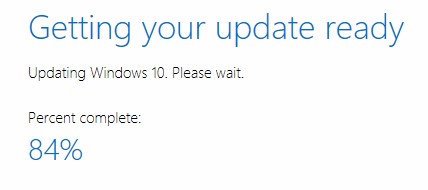
Got a Windows 10 machine that just hangs or errors when upgrading? Especially if it is to version 1903 (May 2020 update).
So you’ve tried the usual things:
- dism.exe /Online /Cleanup-image /Restorehealth
- sfc /scannow
- Updated all the device drivers, especially your network and WIFI
- WindowsUpdateDiagnostic.diagcab
Still struggling? Chances are it is because IIS is stopping you progressing.
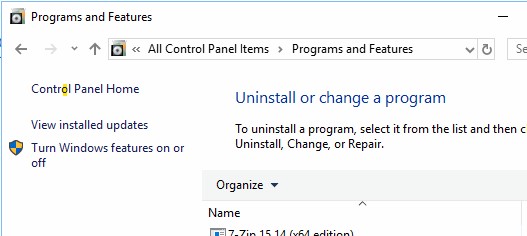
Run control.exe, choose Programs and features, click the link on the left “Turn Windows Features on or off” and uninstall IIS.
Can’t uninstall IIS? Open c:\Windows\System32\inetsrv\config\applicationhost.config.clean.install in notepad and copy the contents to the clipboard. Now open ApplicationHost.config and delete the contents. Paste from the clipboard and save the file. Now uninstall IIS and then see if your upgrade works.
Rather than try “Windows Update”, download and install the update directly using Windows 10 Update Assistant
Still strugging? Try this script or whichever bits you prefer to borrow
@echo off
echo Delete Mechine Keys
del C:\ProgramData\Microsoft\Crypto\RSA\MachineKeys*.* /s
pause
echo System File checks
dism.exe /Online /Cleanup-image /Restorehealth
sfc /scannow
pause
echo Stop some services
net stop bits
net stop wuauserv
net stop appidsvc
net stop cryptsvc
echo stop any services that didn't stop
net stop bits
net stop wuauserv
net stop appidsvc
net stop cryptsvc
pause
Del "%ALLUSERSPROFILE%\Application Data\Microsoft\Network\Downloader*.*"
rmdir %systemroot%\SoftwareDistribution /S /Q
rmdir %systemroot%\system32\catroot2 /S /Q
pause
sc.exe sdset bits D:(A;;CCLCSWRPWPDTLOCRRC;;;SY)(A;;CCDCLCSWRPWPDTLOCRSDRCWDWO;;;BA)(A;;CCLCSWLOCRRC;;;AU)(A;;CCLCSWRPWPDTLOCRRC;;;PU)
sc.exe sdset wuauserv D:(A;;CCLCSWRPWPDTLOCRRC;;;SY)(A;;CCDCLCSWRPWPDTLOCRSDRCWDWO;;;BA)(A;;CCLCSWLOCRRC;;;AU)(A;;CCLCSWRPWPDTLOCRRC;;;PU)
pause
echo Re-register DLLs
cd /d %windir%\system32
regsvr32.exe /s atl.dll
regsvr32.exe /s urlmon.dll
regsvr32.exe /s mshtml.dll
regsvr32.exe /s shdocvw.dll
regsvr32.exe /s browseui.dll
regsvr32.exe /s jscript.dll
regsvr32.exe /s vbscript.dll
regsvr32.exe /s scrrun.dll
regsvr32.exe /s msxml.dll
regsvr32.exe /s msxml3.dll
regsvr32.exe /s msxml6.dll
regsvr32.exe /s actxprxy.dll
regsvr32.exe /s softpub.dll
regsvr32.exe /s wintrust.dll
regsvr32.exe /s dssenh.dll
regsvr32.exe /s rsaenh.dll
regsvr32.exe /s gpkcsp.dll
regsvr32.exe /s sccbase.dll
regsvr32.exe /s slbcsp.dll
regsvr32.exe /s cryptdlg.dll
regsvr32.exe /s oleaut32.dll
regsvr32.exe /s ole32.dll
regsvr32.exe /s shell32.dll
regsvr32.exe /s initpki.dll
regsvr32.exe /s wuapi.dll
regsvr32.exe /s wuaueng.dll
regsvr32.exe /s wuaueng1.dll
regsvr32.exe /s wucltui.dll
regsvr32.exe /s wups.dll
regsvr32.exe /s wups2.dll
regsvr32.exe /s wuweb.dll
regsvr32.exe /s qmgr.dll
regsvr32.exe /s qmgrprxy.dll
regsvr32.exe /s wucltux.dll
regsvr32.exe /s muweb.dll
regsvr32.exe /s wuwebv.dll
pause
echo Restart services
netsh winsock reset
netsh winsock reset proxy
net start bits
net start wuauserv
net start appidsvc
net start cryptsvc
echo Start any services that didn't start
net start bits
net start wuauserv
net start appidsvc
net start cryptsvc
echo Now disable IIS under Control Panel - Programs and FEatures - Turn Windows Features off
pause
echo Restart then run the Update Assistant Tool (WindowsUpdateDiagnostic.diagcab)
If this doesn’t help, you can always: https://www.kapilarya.com/how-to-repair-windows-10-using-in-place-upgrade